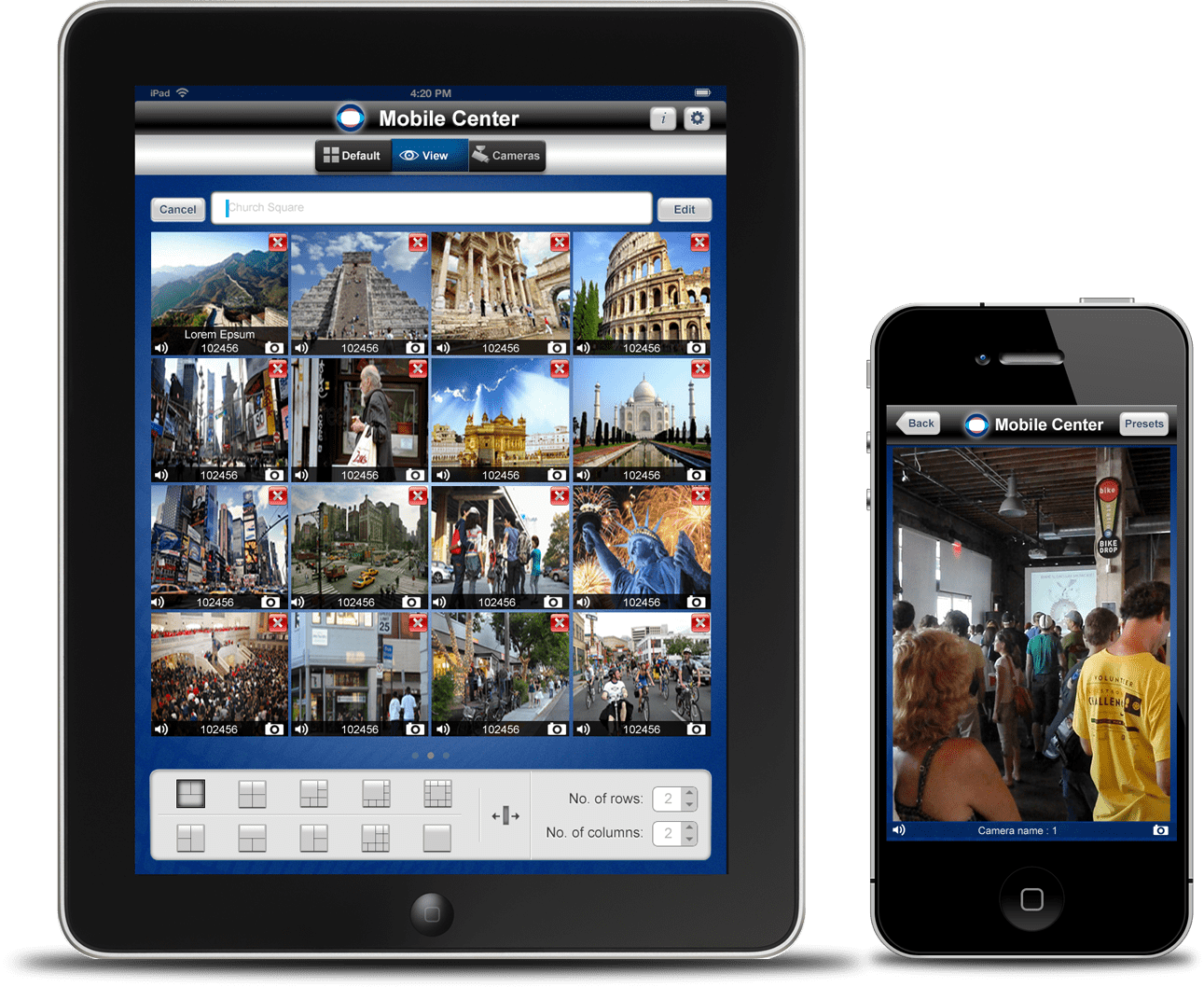
Design Process
My process will be different inn different projects and will be determined by many factors such as the project goals, business needs, complexity of the problem, time and etc. Here I’ll describe my process for solving this problem.
Discover
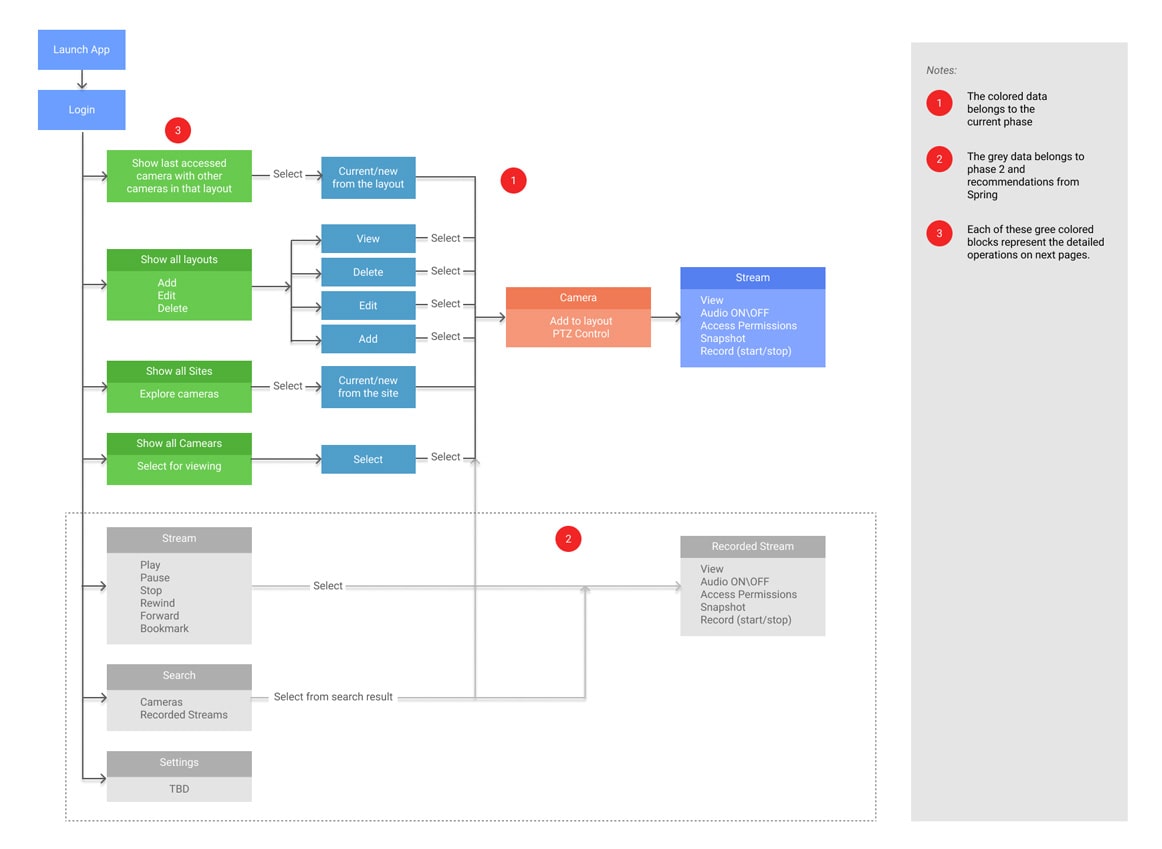
Before doing any ideation I started to analyzing the existing web application page by page to get an in-depth understanding of the field of security and Surveillance. My aim was to understand the existing features and the workflow to gather insights about it. I listed down all the existing features.
Competitive Analysis
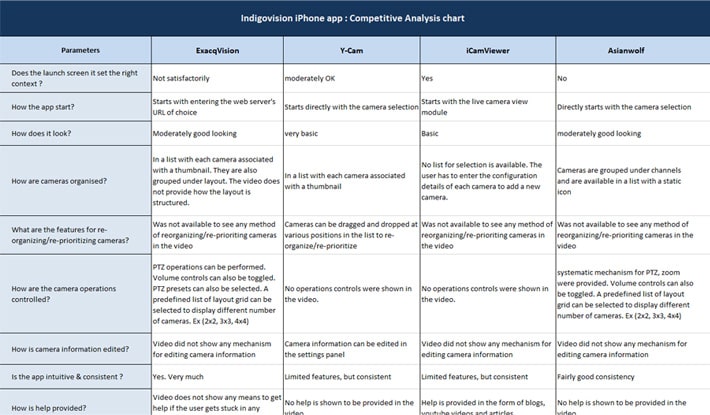
Research and analysis was then followed by competitive analysis, in which I identified existing competitors to IndigoVision and took stock of the features they offered and evaluated their strengths and weaknesses. The current leader security solutions like ExacqVision, Y-Cam, iCamViewer, Asianwolf etc. so I started by assessing these product and then moved on to examining its competitors.
User Interviews
I then conducted 1:1 user interviews as primary research in order to learn directly from potential users about their habits, how they spend their whole day, methods of monitoring activity etc. The interviews were conducted remotely and all participants were from security domain.
Number of Participants: 5
Gender breakdown: 4 male / 1 female
Age: 25 – 43
Takeaways:
1. Users want to monitor their surveillance video on the move.
2. Users expect to maintain visual contact with cameras from wherever they happen to be.
3. Users look for the most accurate information immediately without having to communicate back to a central control room.
×
1 / 4
Persona
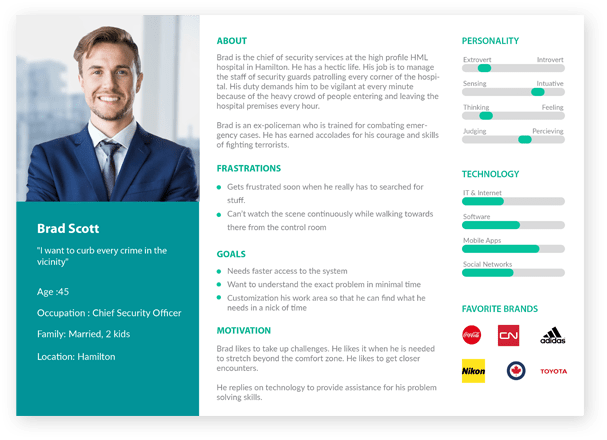
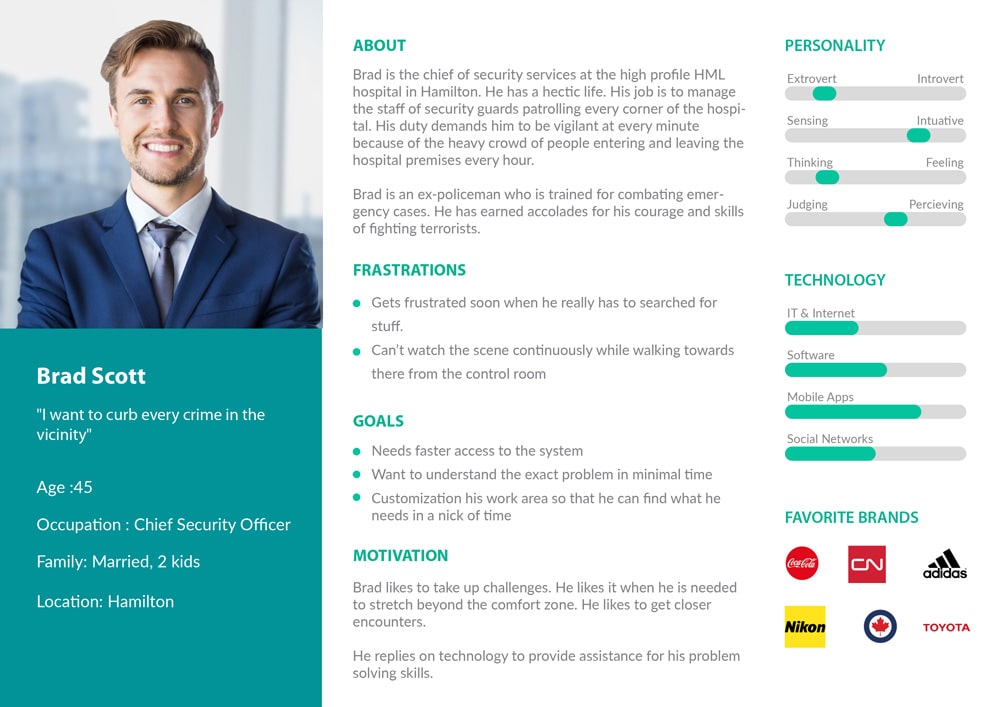
The previous research and analysis was used to develop a primary persona, a fictional representation of my target user. Brad Scott emerged from the primary research findings, with her goals, frustrations, and motivations drawn from the trends observed in user interviews, while his needs came from the empathy map.
Group Brainstorming
In order to generate a wealth of ideas for potential solutions, I conducted a group brainstorming session. I gathered 3 participants, provided project background and introduced them to Brad’s persona. I asked the participants to brainstorm answers to each of the How-Might-We questions and facilitated a discussion of their ideas to develop a range of concepts that might address Brad’s needs.
Once I understood the security domain and different stakeholders involved, I conducted a ideation workshop at Spring Computing, India to kick start a process of exploration.
Persona
I asked the product managers, domain experts and Developers to brainstorm answers to each of the How-Might-We questions and facilitated a discussion of their ideas to develop a range of concepts that might address Brad’s needs.
After reviewing the ideas that emerged from the brainstorming session, I determined which features best met the shared goals identified earlier.
Usability Testing
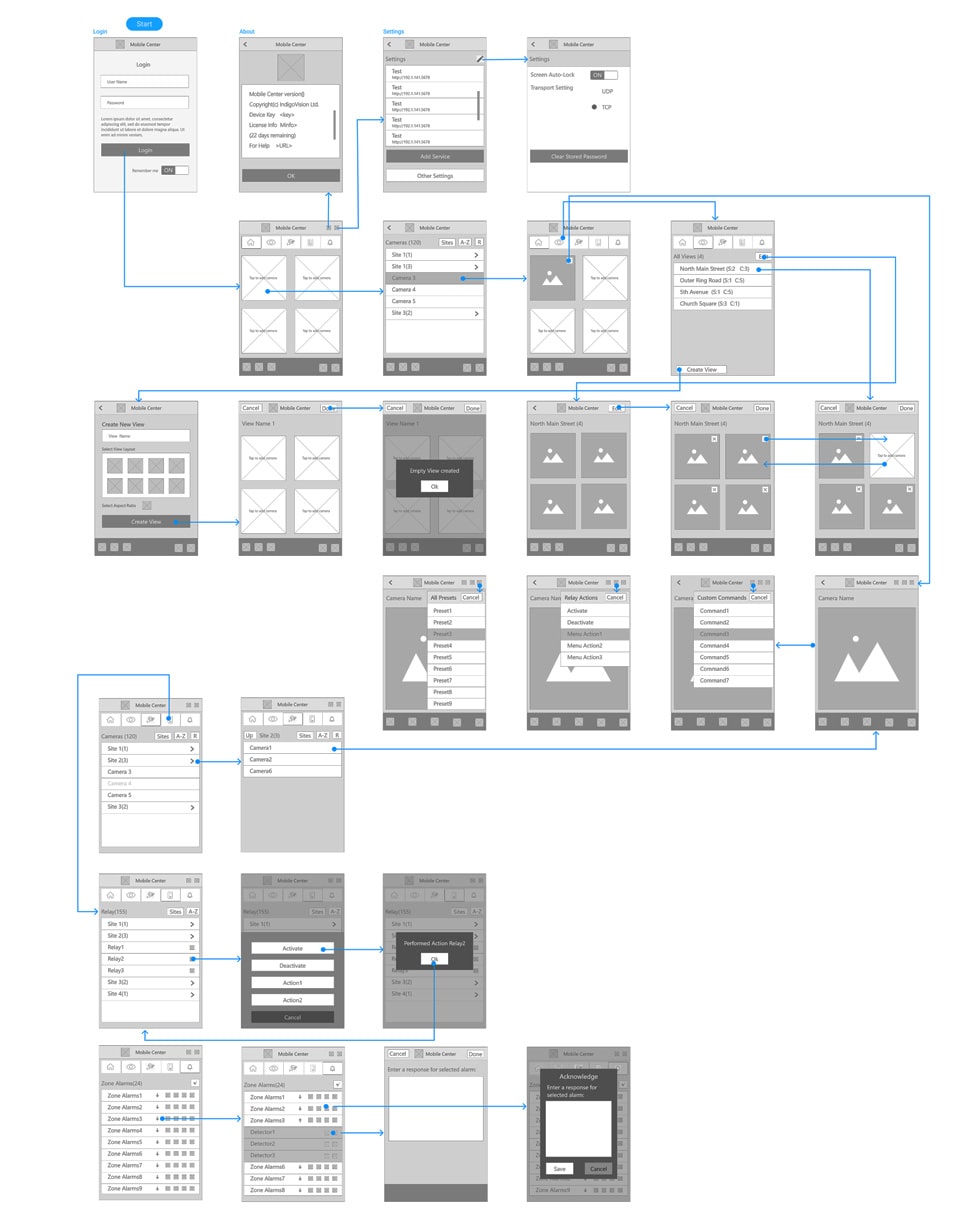
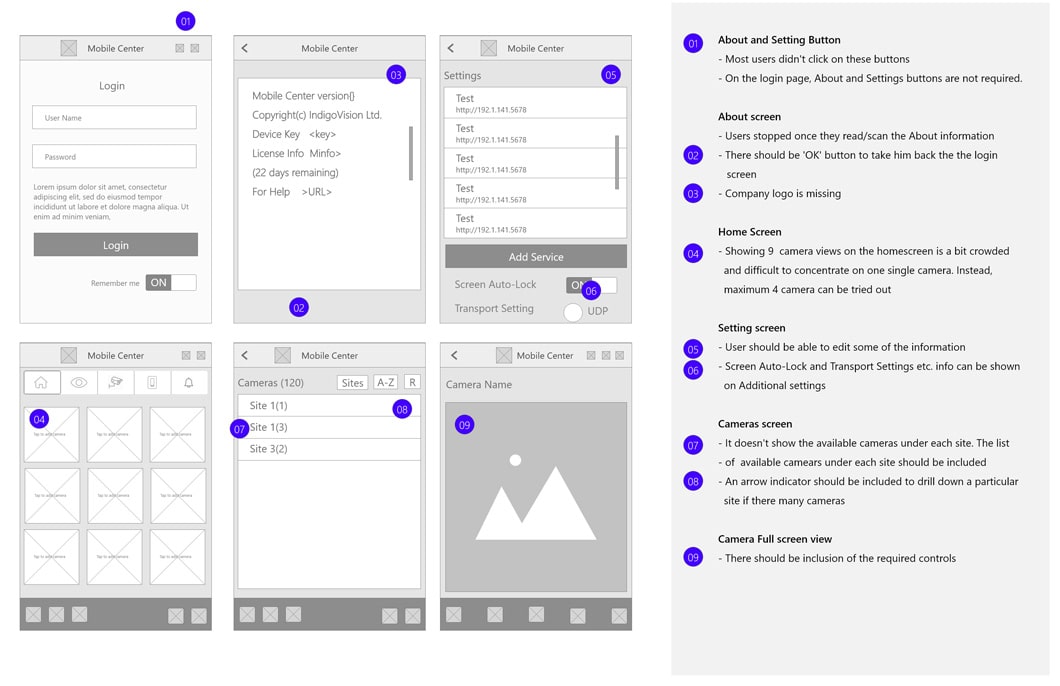
I created a test plan in preparation for conducting usability testing. I developed 4 scenarios and 4 tasks that I asked users to complete using the prototype in order to evaluate the design. Participants were recruited from the local community and recorded each session so I could later synthesize my findings.
Number of Participants: 5
Age: 35 - 55
Gender Breakdown: 3 male / 2 female
All participants described themselves as familiar with iPhone/iPad usage
Usability Testing
Tasks:
Select/setup cameras for viewing
View camera streams
Perform operations around cameras to Pan, Tilt, Zoom etc based on permissions
Take snapshots of the Streams
Share the snapshots
Record the streams
Play, Stop, Rewind, Forward the streams
Bookmark a recorded stream
Respond to alarms
Operate relays
Branding
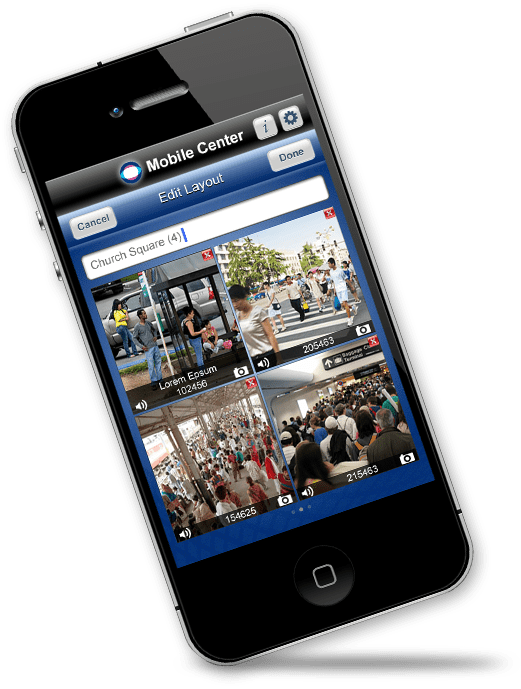
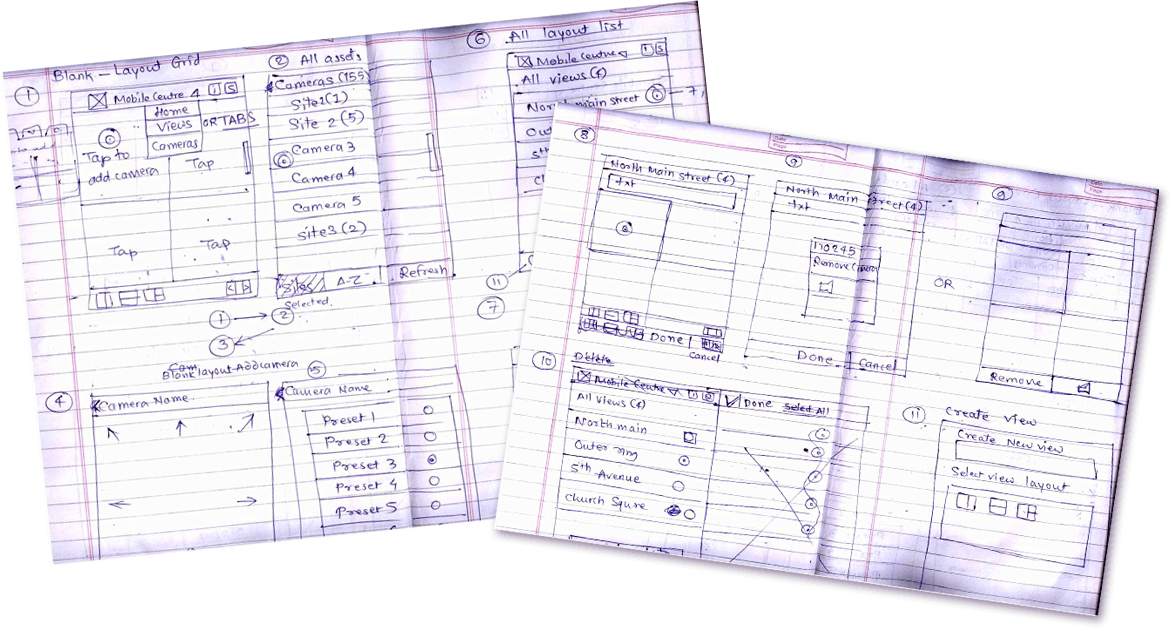
I began to develop branding for Mobile Center by identifying 3 brand attributes that captures the intended look and feel of the app: Delightful, Trustworthy, Contemporary. With these adjectives in mind, I sketched out the required icons, before digitizing the concept that fit the attributes most effectively.
Next, I created a style tile as a guide for the visual design of the app, establishing a color palette, typography styles, and imagery that would then be applied across the mid-fidelity wireframes.