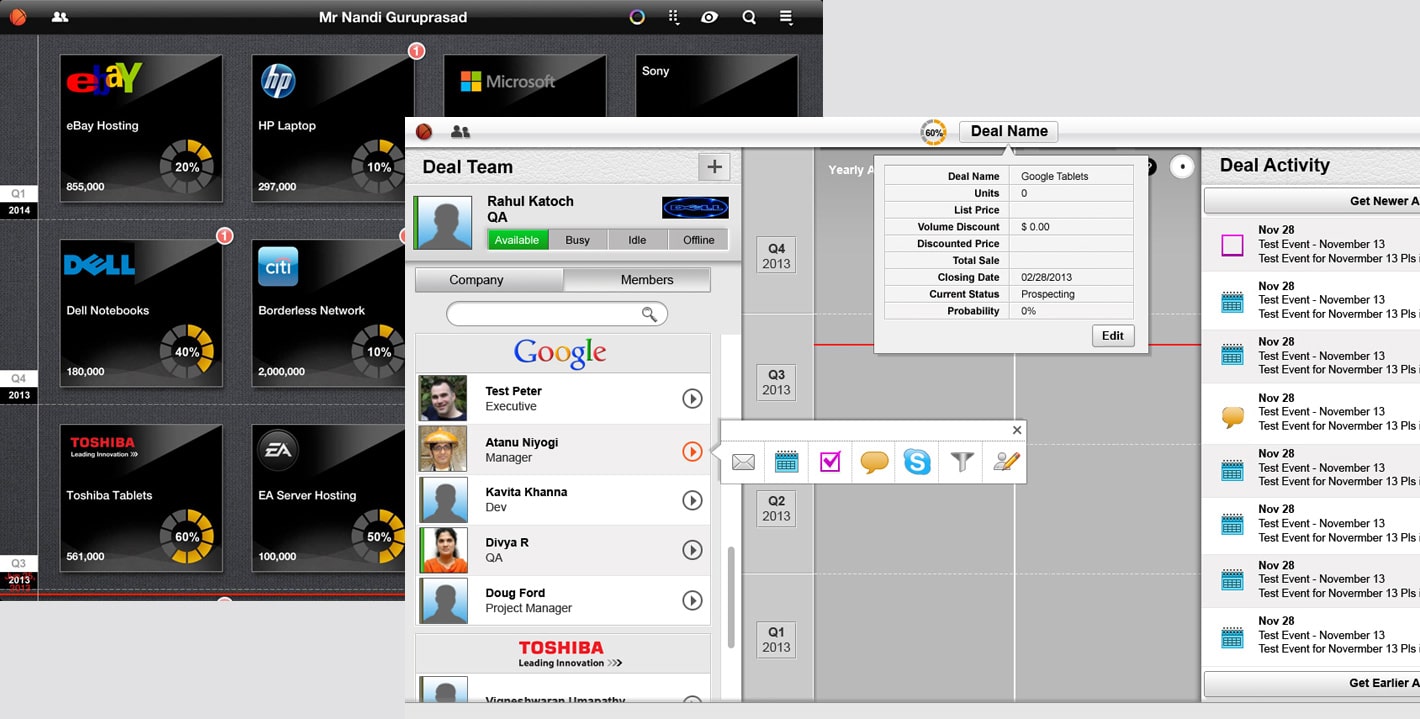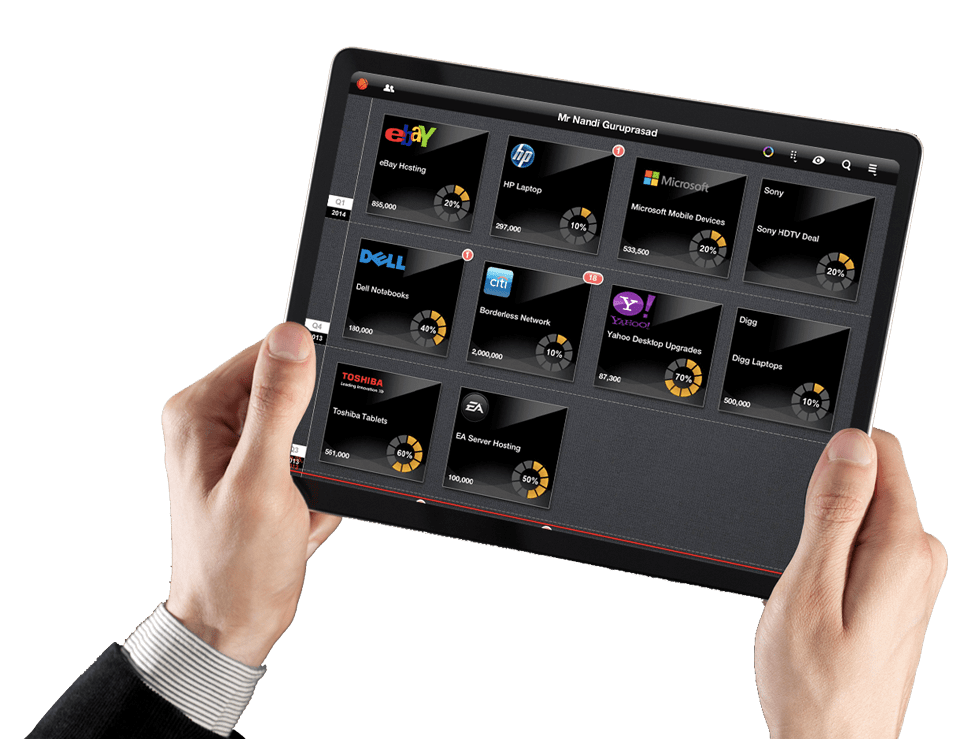
iPad, iPhone, Android, Web App
The Brief
Dealwall is a deal app for account and sale executives to collaborate on deals from any device, anyplace, anytime. It helps companies grow revenues while improving sales force productivity by making the sales people working closely with deal teams and customers to close deals faster.
Goal
To design a centralized and collaborative framework which allows the users to store the relevant data at one location and it addresses two mental models "get in touch" with a person or group and "what's going on" in my deal. I need to review, analyze and act
My Role
I was involved in everything from defining the brand and personas, creating flows and wireframes, all the way to creating final UI designs as well as designing the logo.
Skills utilized: Expert Review and heuristic analysis, Usability testing, User interview, wireframing, prototyping, visual design, competitive analysis.
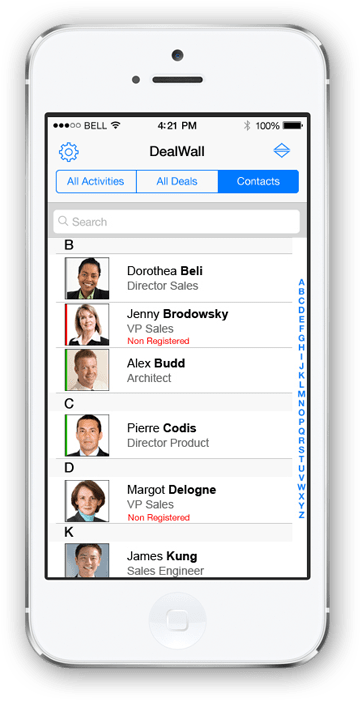
Design Challenge
To design an interactive interface which provides access to common information to the whole deal team and allows them to take an action but at the same time have the same efficiency and access to data as a laptop.
Research & Analysis
I began the project with research, in order to establish an understanding of sales domain.
To address the given challenge of designing an interface with features into dealwall, I started with exploring various similar applications from salesforce to other CRM tools. I participated in the user interviews to understand user needs, pain points and potential opportunities so that I will have a better understanding on how to create a cohesive user experience. Regarding the users I was happy to find out that the team has already been talking to their target audience and had a lot of insight so it was only a matter of consolidating the findings to form a user persona. My aim was to gather insights about strategies and best practices when it comes to user-centred design approach.
After executing a series of competitive analysis and based on the user interviews, I outlined the scenario which is a short story about a specific user accomplishing a specific goal using the application
Define
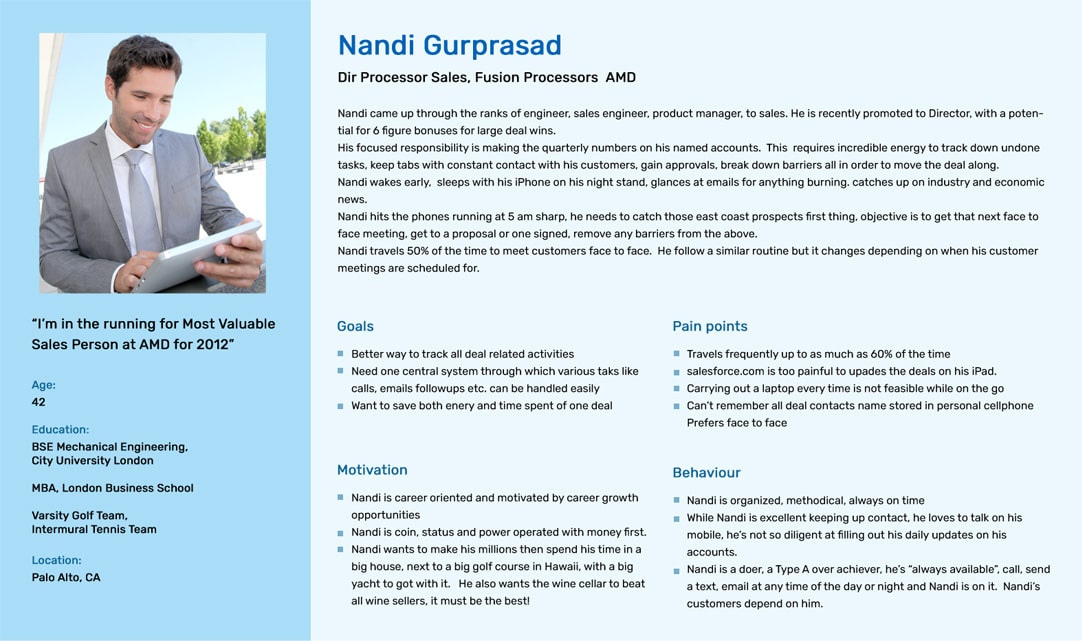
Persona
After getting insights from user research, I had a clear understanding of who my target user will be and created a persona. User persona will help me make better design decisions that will satisfy the user's needs.
Ideate
Defining Problem
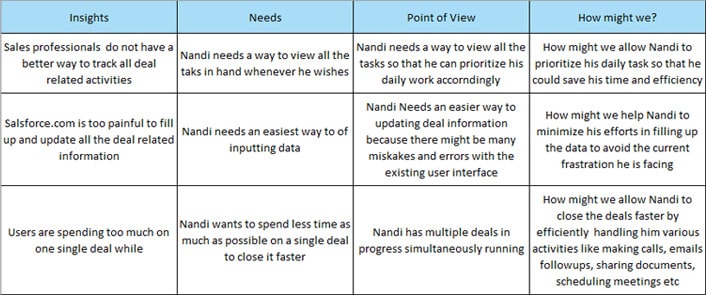
Point of view = User's + Needs + Insights
Keeping user needs and Insights POV statement allows me to generate possible solutions in a goal-oriented manner followed by HMW to kick start my ideation process.
Brainstorming Solutions
From HMW statement I started generating as possible ideas as I can possible. The goal here was to cover every aspect of the problem and find an appropriate solution.
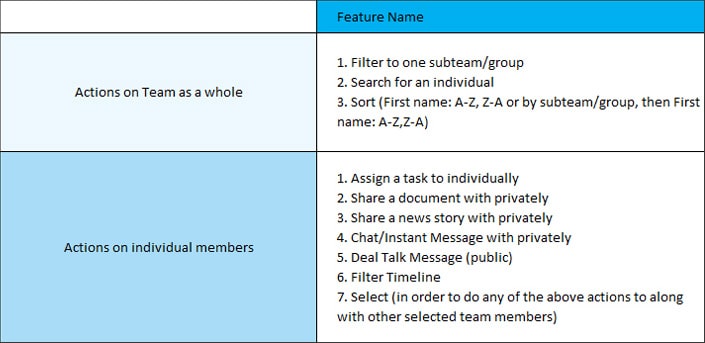
Product Features Roadmap
After brainstorming different ideas, I created a product features road map and prioritize them.
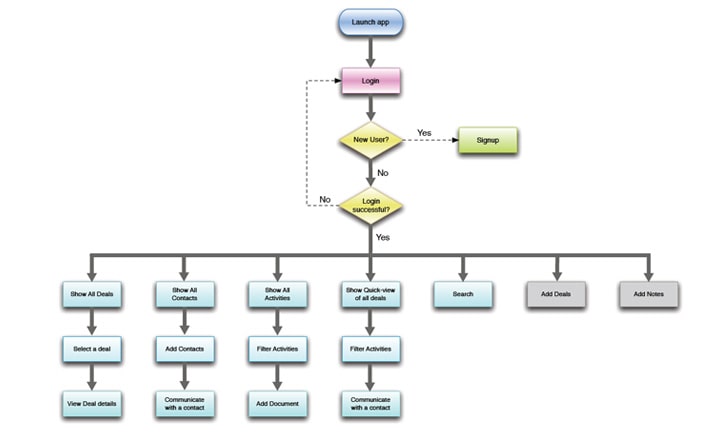
User Flow
A user flow was then created to understand how a user would navigate through the structure of the app. Here I primarily focused on how the user would communicate within the deal team and easily tracking the multiple deal activities.
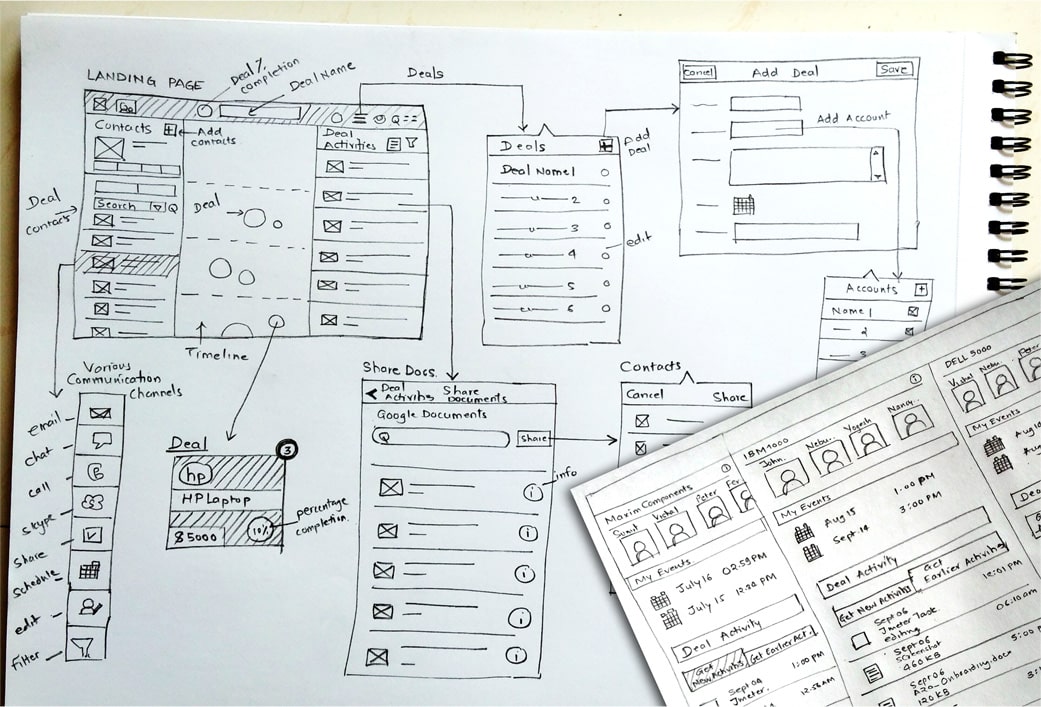
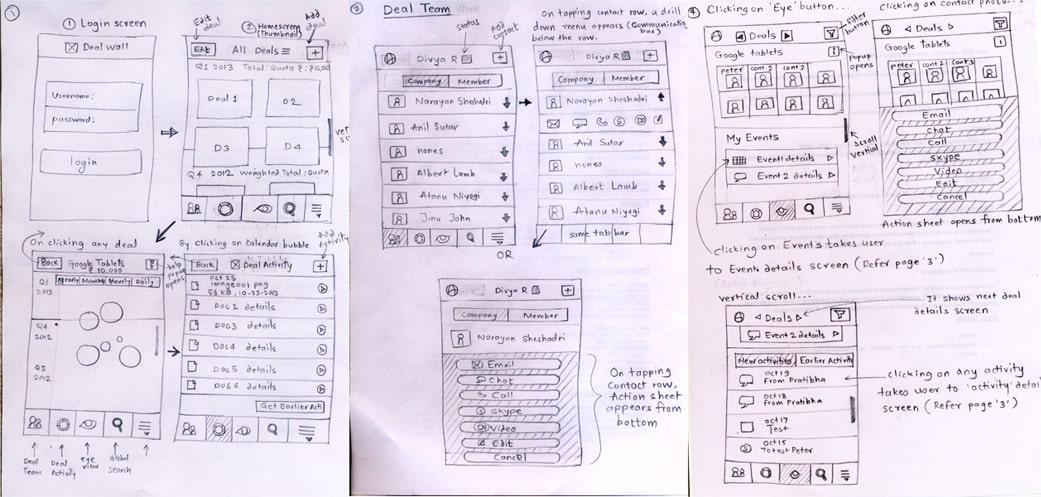
Initial Sketches
The main function of this app was easy collaboration within deal team members, but that the idea quickly outgrew that initial intent. Before moving to tools for designing I started by sketching few designs and see what ideas I can come up with. At this phase of the design process, early user feedback was crucial to eliminate pain points and enhance usability and existing features.
Early sketches exploring different solutions of the communicating with members iPad
Build
Low-fidelity wireframes
With the beginning of wireframing I tried the drag & drop option as well. Evaluation showed that this layout was too complex to use and took to much time. So I did the simpler approach and focused on speed. Nevertheless, I find it very useful to test ideas in an early phase with wireframes. They make it more understandable how an interface and interactions would feel like.
Developing the Prototype
After creating low-fidelity wireframes, I converted them into an interactive prototype using Axure software. This prototype was used to run the second round of user tests, remote and in person, that enhanced features and eliminated user pain points.
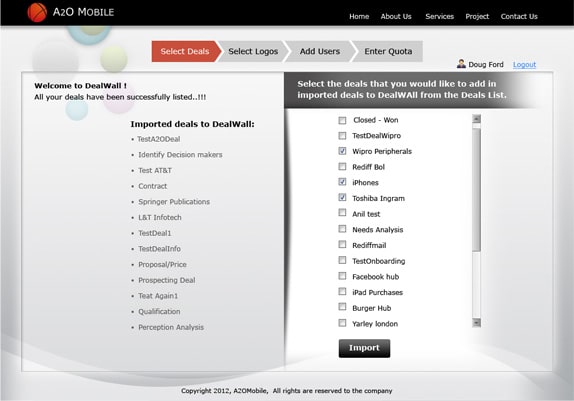
Onboarding & Registration
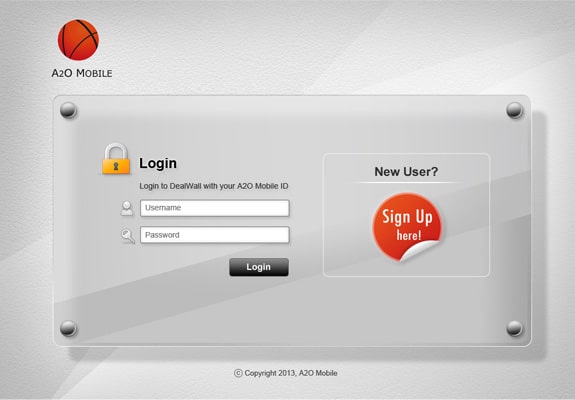
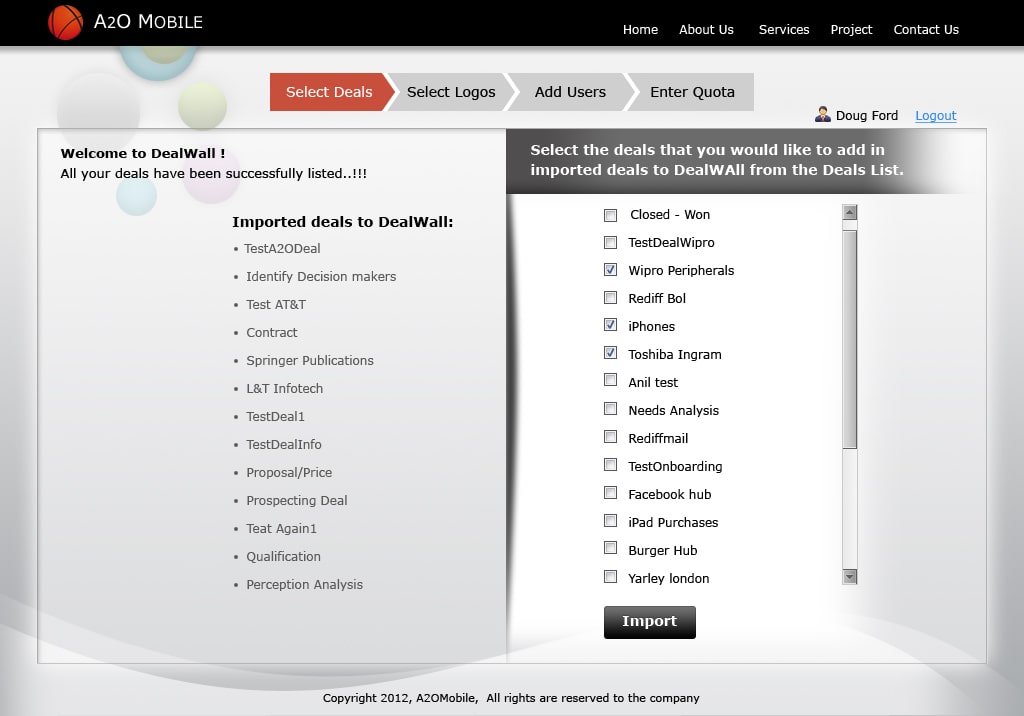
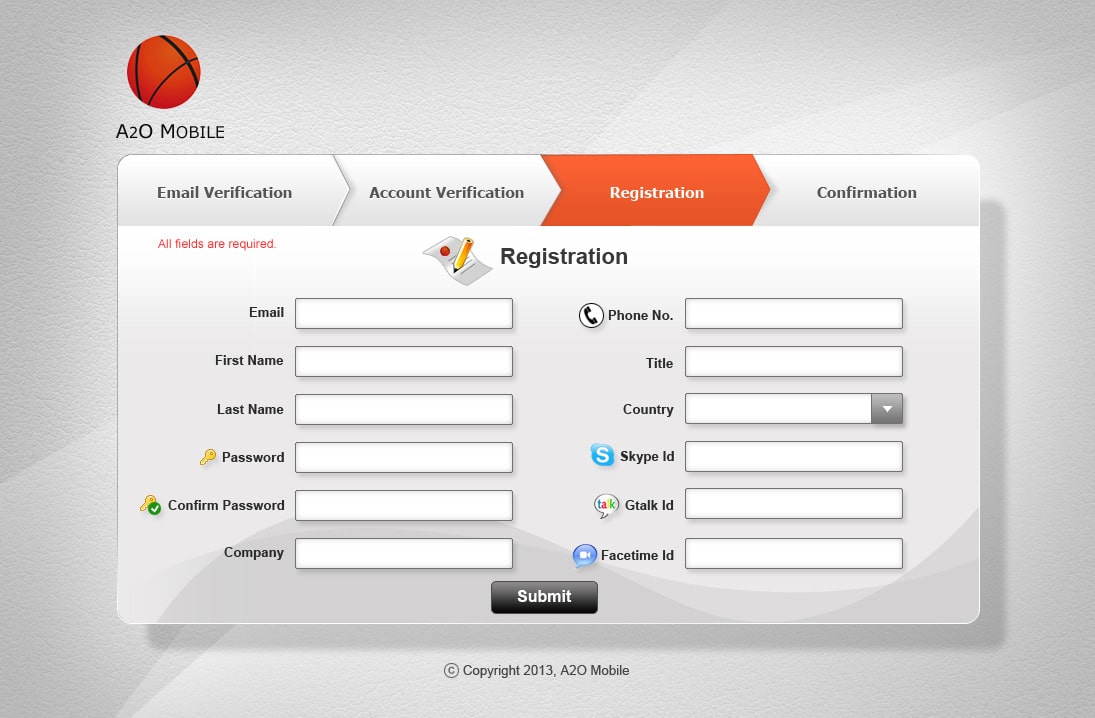
Onboarding is one of the most critical phases in an app user’s journey. I designed an interface through which the user should easily transfer their all sales data to dealwall app.
Usability Testing
To ensure seamless usability, I conducted user testing in-person and with 5 individuals. In general, participants could navigate easily through the app and enjoyed its simplicity; but testing also detected some pain points. The user criteria was that he/she should be well familiar with computers doing online transactions or browsing.
UI Design
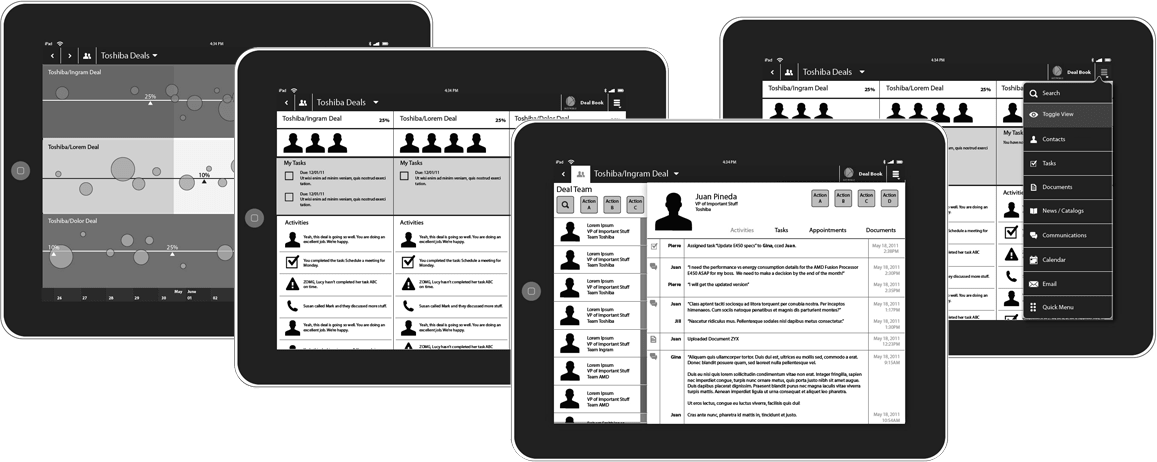
Once I tested out all usability mistakes, I started designing the final screens in Photoshop. Using the design system components and guidelines, I started creating iPad screens first and then Iphone, Andorid, web version of the dealwall app. I eliminated unnecessary UI elements and kept all design elements consistent throughout the app to ensure a clean and well-spaced design.
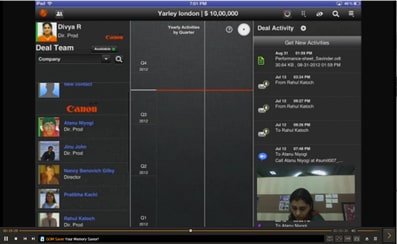
iPad
Definitely it was not the end of the project. Each and every step of the design process went into many iterations with lots of modifications to enhance the features and overall functionality to make it better user experience.